From managed service to customer self-serve: the intuitive AI chat that builds, tests, and improves voice agents

Responsibilities
Led design for the Open Platform launch. End to end on Agent Builder: interaction model, onboarding, the build → plan → test flow, visual language, in-product guidance and launch analytics.
Client
PolyAI
Team
Me, a PM and several engineers
Year
2026
Timeline
About 6 weeks, from design to launch
Info
Agent Builder is a chat inside PolyAI’s platform that builds, changes and tests voice agents from plain-language requests.
Nobody changed
their own agent
Before this, I designed the Agent Wizard, which builds a voice agent from a company’s website in minutes. But in the full platform, people stalled. One tester said it felt like being dropped into deep water.
Enterprise customers didn’t change their agents either, scared of breaking something live. Six research rounds that year kept showing the same thing: people loved hearing their own agent, but nobody, not even our sales team, trusted the platform enough to use it unsupervised.
So the brief wasn’t “add a chatbot.” It was to make changing a live agent feel safe enough for a non-technical person. My rule: plain words first, technical detail only on request.
Partway through, onboarding moved from the wizard to the builder and our lead designer left. I carried the design on my own, and we launched on schedule.
Nothing changes
without a yes
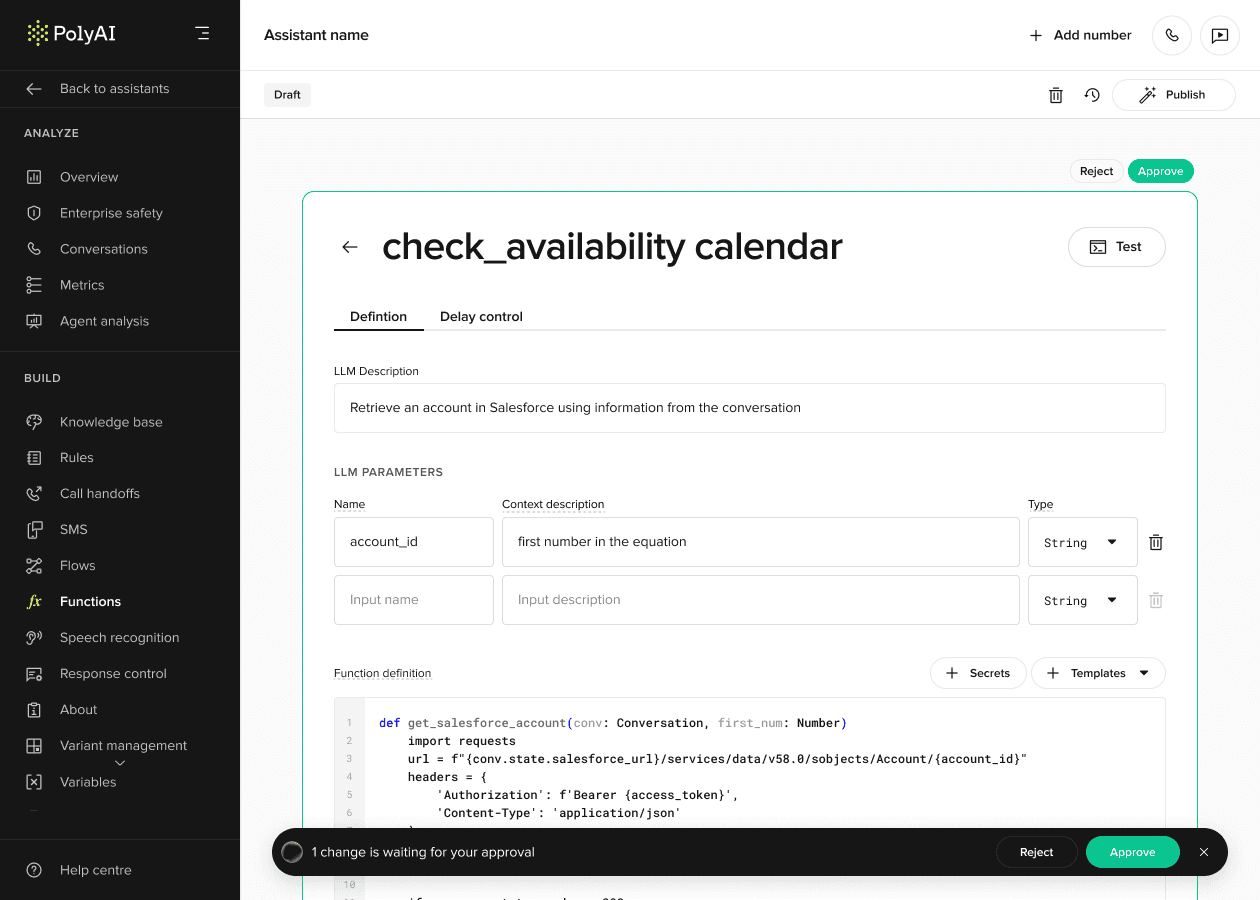
People only let an AI touch a live agent if they stay in control. So before any big change, the builder shows a plan in plain words. Approve it, or ask for changes. Nothing reaches your agent until you say yes.

The plan card: a plain-words summary, the steps, and Make changes or Approve.
Agent Builder today, now called Wren, at 2x speed. Some UI decisions here aren’t mine, but the core loop is mine: plan, approve, review, test.
See each change
where it lives
The builder works in two places: a full screen for building and a side panel on any page.
An early version reviewed changes one by one in a banner at the bottom. Instead of a new pattern, I reused the side panel: each change has a View button that opens the page it touched, with the change highlighted. Later I extended it into a rule for every right-hand panel: one open at a time.

Test that it works
Seeing the changes doesn’t prove the agent works, so the builder suggests a test. It explains each result in plain words, like a reschedule that books a new slot but keeps the old one, then suggests a fix and reruns the tests until they pass.

Each test says what happened and why it passed or failed.
When things
go wrong
People judge a tool by its bad moments, so I designed those as carefully as the main flow. Stop it mid-answer, and your message returns to the input for editing.


After launch
Two days in, analytics showed almost no conversions while the database showed dozens of people mid-conversation. Tracking was broken on some entry paths. I traced it with engineering and checked every number against three sources.
Recordings were less comfortable: my own first screen confused people. Many read its choice, guided start or explore alone, as more onboarding and left.
So I went back to the Agent Wizard’s best idea: a working agent to talk to right away. Templates cut the wait from minutes to 10 to 20 seconds. I designed it as a quick test of one hypothesis: the sooner people hear how good the agent is, the more they want to keep building.
It’s not a full answer: motivated users like a step-by-step flow, while developers and the curious want the platform straight away.
I also held back a change I was sure about. Recordings suggested the builder asked too many questions, yet over half of business users still reached testing.


Impact
• Became the main way customers change their own agents
• PolyAI’s own sales and solutions teams adopted it too
• 86% of people who built something went on to test it
• Self-serve became a source of sales-qualified leads
• Helped win deals against competitors once prospects saw how easy it was
Test figure: launch window.